ЖИ көмекші


 Қауіпсіз төлем




1 жыл бойы шексіз жүктеңіз
Computer momery

#1 слайд
M
E
M
O
R
Y
Computer memory
1 слайд
M E M O R Y Computer memory
#2 слайд
M
E
M
O
R
Y
Lesson Objectives
•To understand the difference between
RAM and ROM
•To be able to explain the need for ROM
•To be able to explain the purpose of RAM
2 слайд
M E M O R Y Lesson Objectives •To understand the difference between RAM and ROM •To be able to explain the need for ROM •To be able to explain the purpose of RAM
#3 слайд
M
E
M
O
R
Y
Memory Recap
•1 bit = ????
•1 byte = ??? bits
•1 kb = ??? bytes
•1 gb = ??? Kb
•1mb = ???gb
3 слайд
M E M O R Y Memory Recap •1 bit = ???? •1 byte = ??? bits •1 kb = ??? bytes •1 gb = ??? Kb •1mb = ???gb
#4 слайд
M
E
M
O
R
Y
Main Memory.
•Memory has increased hugely in the last
20 years.
•1980 - 32kb of memory standard
•2010 - 2gb of memory standard
•“640kb of memory is the limit - more than
anyone will EVER need!”
bill gates, 1981
4 слайд
M E M O R Y Main Memory. •Memory has increased hugely in the last 20 years. •1980 - 32kb of memory standard •2010 - 2gb of memory standard •“640kb of memory is the limit - more than anyone will EVER need!” bill gates, 1981
#5 слайд
M
E
M
O
R
Y
R
O
M
ead
nly
emory
What does “Read Only”
mean?
When have you seen the
term before?
5 слайд
M E M O R Y R O M ead nly emory What does “Read Only” mean? When have you seen the term before?
#6 слайд
M
E
M
O
R
Y
How does a computer start?
•When the computer is first switched on
ROM stores the instructions which it needs
in order to “boot up”.
•ROM is a type of memory that is NON-
VOLATILE. This means that any data which
is saved to it is not lost when the computer
is switched off.
6 слайд
M E M O R Y How does a computer start? •When the computer is first switched on ROM stores the instructions which it needs in order to “boot up”. •ROM is a type of memory that is NON- VOLATILE. This means that any data which is saved to it is not lost when the computer is switched off.
#7 слайд
M
E
M
O
R
Y
ROM
•Because the data is “read only” it means
that it can be read but cannot be changed
by the user.
•The information on the ROM chip is often
programmed by the manufacturer.
•It contains the Boot Program which
–Performs some basic checks
–Finds the operating system
–Hands over control to the operating system
7 слайд
M E M O R Y ROM •Because the data is “read only” it means that it can be read but cannot be changed by the user. •The information on the ROM chip is often programmed by the manufacturer. •It contains the Boot Program which –Performs some basic checks –Finds the operating system –Hands over control to the operating system
#8 слайд
M
E
M
O
R
Y
How much ROM is needed?
•ROM does not need to contain very much
data and is typically just 1 or 2MB in size
•Many devices, including music players,
mobile phones and cameras need ROM to
boot them up.
8 слайд
M E M O R Y How much ROM is needed? •ROM does not need to contain very much data and is typically just 1 or 2MB in size •Many devices, including music players, mobile phones and cameras need ROM to boot them up.
#9 слайд
M
E
M
O
R
Y
R
A
M
andom
ccess
emory
9 слайд
M E M O R Y R A M andom ccess emory
#10 слайд
M
E
M
O
R
Y
What is RAM?
•Have you ever worked for an entire ICT
lesson only for your computer to crash or
be “accidentally” switched off, and you’ve
lost all the work you were working on?
•That’s because it was stored in the RAM,
and as soon as the computer is switched
off it is emptied. It is VOLATILE
10 слайд
M E M O R Y What is RAM? •Have you ever worked for an entire ICT lesson only for your computer to crash or be “accidentally” switched off, and you’ve lost all the work you were working on? •That’s because it was stored in the RAM, and as soon as the computer is switched off it is emptied. It is VOLATILE
#11 слайд
M
E
M
O
R
Y
What is RAM?
•RAM stores the programs and data that
the computer is currently working on
•The operating system will also be loaded
into RAM in order to run.
11 слайд
M E M O R Y What is RAM? •RAM stores the programs and data that the computer is currently working on •The operating system will also be loaded into RAM in order to run.
#12 слайд
M
E
M
O
R
Y
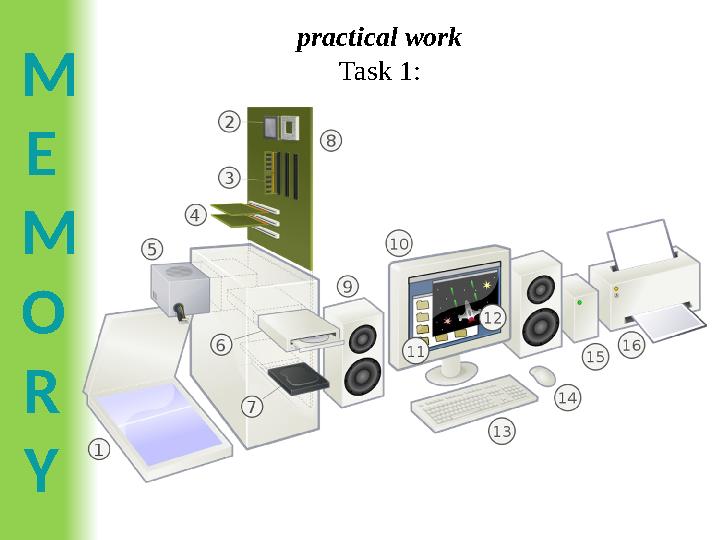
practical work
Task 1:
12 слайд
M E M O R Y practical work Task 1:
#13 слайд
M
E
M
O
R
Y
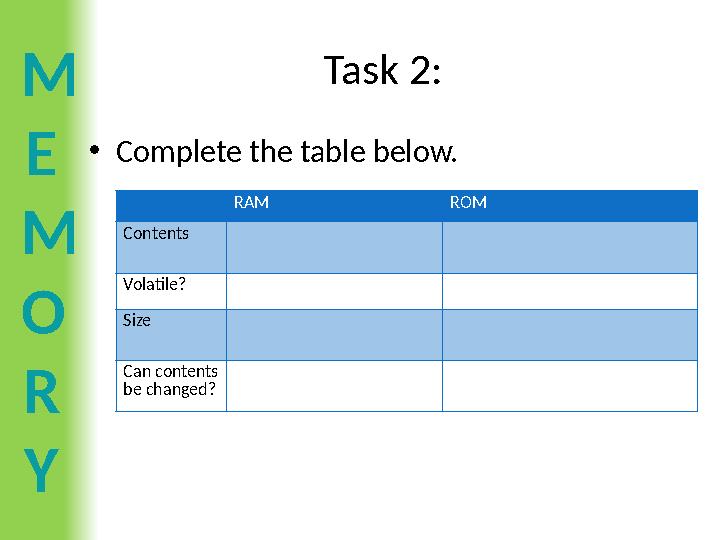
Task 2:
•Complete the table below.
RAM ROM
Contents
Volatile?
Size
Can contents
be changed?
13 слайд
M E M O R Y Task 2: •Complete the table below. RAM ROM Contents Volatile? Size Can contents be changed?
#14 слайд
M
E
M
O
R
Y
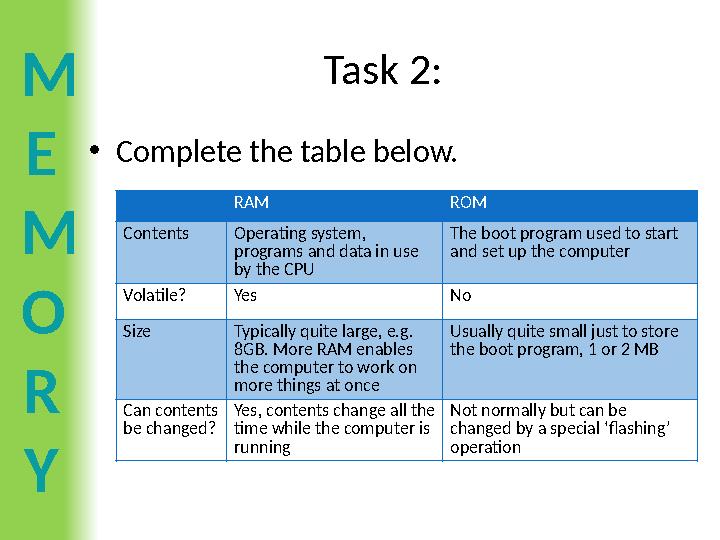
Task 2:
•Complete the table below.
RAM ROM
Contents Operating system,
programs and data in use
by the CPU
The boot program used to start
and set up the computer
Volatile?Yes No
Size Typically quite large, e.g.
8GB. More RAM enables
the computer to work on
more things at once
Usually quite small just to store
the boot program, 1 or 2 MB
Can contents
be changed?
Yes, contents change all the
time while the computer is
running
Not normally but can be
changed by a special ‘flashing’
operation
14 слайд
M E M O R Y Task 2: •Complete the table below. RAM ROM Contents Operating system, programs and data in use by the CPU The boot program used to start and set up the computer Volatile?Yes No Size Typically quite large, e.g. 8GB. More RAM enables the computer to work on more things at once Usually quite small just to store the boot program, 1 or 2 MB Can contents be changed? Yes, contents change all the time while the computer is running Not normally but can be changed by a special ‘flashing’ operation
#15 слайд
M
E
M
O
R
Y
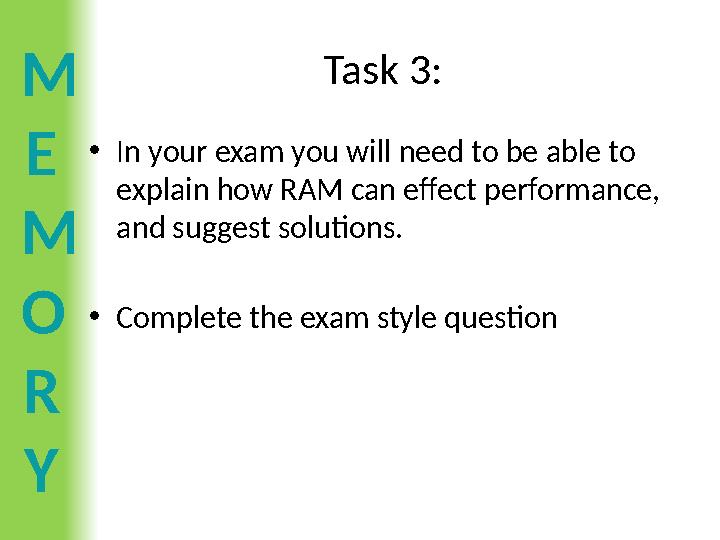
Task 3:
•In your exam you will need to be able to
explain how RAM can effect performance,
and suggest solutions.
•Complete the exam style question
15 слайд
M E M O R Y Task 3: •In your exam you will need to be able to explain how RAM can effect performance, and suggest solutions. •Complete the exam style question
#16 слайд
M
E
M
O
R
Y
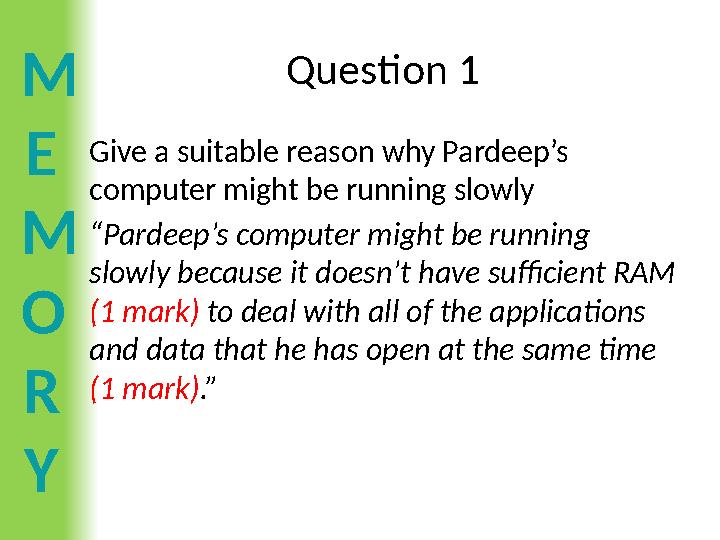
Question 1
Give a suitable reason why Pardeep’s
computer might be running slowly
“Pardeep’s computer might be running
slowly because it doesn’t have sufficient RAM
(1 mark) to deal with all of the applications
and data that he has open at the same time
(1 mark).”
16 слайд
M E M O R Y Question 1 Give a suitable reason why Pardeep’s computer might be running slowly “Pardeep’s computer might be running slowly because it doesn’t have sufficient RAM (1 mark) to deal with all of the applications and data that he has open at the same time (1 mark).”
#17 слайд
M
E
M
O
R
Y
Question 2:
Suggest a related solution to help Pardeep improve the
performance of his computer (2 marks)
“The best solution to overcoming this problem is to add
extra RAM chips (1 mark). This will allow Pardeep to
increase the number of programs or amount of data that
he is able to use at the same time (1 mark)”
Or
“Pardeep could try running less programs at one time,
closing programs that he is not using. (1 mark). This will
mean there is less pressure on the RAM and his computer
will run quicker (1 mark)”
17 слайд
M E M O R Y Question 2: Suggest a related solution to help Pardeep improve the performance of his computer (2 marks) “The best solution to overcoming this problem is to add extra RAM chips (1 mark). This will allow Pardeep to increase the number of programs or amount of data that he is able to use at the same time (1 mark)” Or “Pardeep could try running less programs at one time, closing programs that he is not using. (1 mark). This will mean there is less pressure on the RAM and his computer will run quicker (1 mark)”









 Бұл курс Қазақстан Республикасы Оқу-ағарту министрлігімен келісілген