ЖИ көмекші


 Қауіпсіз төлем

жүктеу мүмкіндігіне ие боласыз
Бұл материал сайт қолданушысы жариялаған. Материалдың ішінде жазылған барлық ақпаратқа жауапкершілікті жариялаған қолданушы жауап береді. Ұстаз тілегі тек ақпаратты таратуға қолдау көрсетеді. Егер материал сіздің авторлық құқығыңызды бұзған болса немесе басқа да себептермен сайттан өшіру керек деп ойласаңыз осында жазыңыз
 13 Наурыз 2019
 476
476
1 жыл бойы шексіз жүктеңіз
Your first programming
Шебер сынып/Master class
Tashkenbayev N.T
School-liceum Zhaushikum |
|||||||||||||||||||||||||||||||||||
Күні: |
01.03.2019 |
|
|||||||||||||||||||||||||||||||||
Сынып: |
8 A |
Attended:12 |
Didn`t attend: 12 |
||||||||||||||||||||||||||||||||
|
|
||||||||||||||||||||||||||||||||||
|
Your first program |
||||||||||||||||||||||||||||||||||
Learning objectives |
3.1– distinguish between the concepts of "programming system" and "programming languages"; |
||||||||||||||||||||||||||||||||||
Lesson objectives |
|
||||||||||||||||||||||||||||||||||
Thinking level |
To know, to understand, to use. |
||||||||||||||||||||||||||||||||||
Assessment criteria |
|||||||||||||||||||||||||||||||||||
Language target |
Knows and uses following terminology: Compiler, IDE, Mathematical statement, Output. |
||||||||||||||||||||||||||||||||||
Methods |
«Brain storming», “Work in pairs” |
||||||||||||||||||||||||||||||||||
National morality |
To use effective ways of interpreting information |
||||||||||||||||||||||||||||||||||
Interdisciplinary communication |
Math, English, IT |
||||||||||||||||||||||||||||||||||
Pre knowledge |
3.1 – distinguish between the concepts of "programming system" and "programming languages"; |
||||||||||||||||||||||||||||||||||
Lesson plan |
|||||||||||||||||||||||||||||||||||
Lesson period |
Activity |
Resources |
|||||||||||||||||||||||||||||||||
Start of the lesson 10 min
|
Reviewing last topic:
2. Give an example on IPO 3. Why do we learn computer programming? 4. What is a programming languages? 5. What kind of programming languages do you know?
3. Explaining new topic |
Presentation, active board
|
|||||||||||||||||||||||||||||||||
Midsession 27 min
|
IDE (Integrated Development Environment) is software that contains basic developer tools needed to write and test software. Code editor Debugger Compiler -Why Python? -What we can do on Python? (video) A level Practice 1 Write a program that will display your name
Practice 2 1.
Write at least 5 commonds that will show information about
yourself
B level Practice 3 Create a program that will solve the expression and outputs in given format
Warmup
http://silentteacher.toxicode.fr/
Activity 1. print(helloworld) 2. (print”how tall are you?”) 3. (‘Game Over’) 4. print(‘Game Over”) 5. print(‘Bob’s car has 4 wheels’)
|
Presentation,
Python program
Presentation
http://silentteacher.toxicode.fr/
|
|||||||||||||||||||||||||||||||||
Concluding the lesson 2 min |
|
Colorful stickers
|
|||||||||||||||||||||||||||||||||
Hometask 1 min |
Learn by heart terminology |
|
|||||||||||||||||||||||||||||||||
Greeting
-Hello. Good afternoon children.
How are you?
I am little bit afraid, because I spend the master class for the first time.
Sit down please.
So, let’s starts the our lesson.
Divided groups.
Please, all come to me.
First let's raise our spirits. Now, gays standing opposite each other.
Now, with help of the program we are dividing into two groups. The name of the program The Hat. Ok let`s start. This program will choose you.
Ok. In the first group is … and in the second group is…
Repeat last lesson.
Repeat last lesson through the site Kanhoot.it
Now I will give each group the words you need to find their translation.
So everything is working.
Now switch places and check the works. go ahead
“Brain storming” method.
Reviewing last topic:
1.How many parts in a computer program?
2. Give an example on IPO
3. Why do we learn computer programming?
4. What is a programming languages?
5. What kind of programming languages do you know?
go ahead
Explaining new topic: let's remember these words, they are still useful
let's watch a short video. You liked the video. I hope is clear
go ahead
Practice work. go ahead
On this we finish the lesson. Thank you very much students, Well done!
I hope you enjoyed the lesson today.
Goodbye.
Good morning students and good morning guests! Welcome to our lesson. Before the starting lesson I want to ask some questions for you. It’s very easy questions not difficult. The first question is What’s the weather like today?-today is sunny or rainy weather Ou, good. Excellent. The second question is
What date is it today? –Right you are.
today March 1, 2019
If you are ready for today's lesson, let's start our lesson. To repeat the last lesson, I will give you the terms from the last lesson and you should find a translation.
let's remember the new words that will be met in the lesson
Let’s do two tasks in python for understanding.
Let’s do practical tasks on computer in a program python.
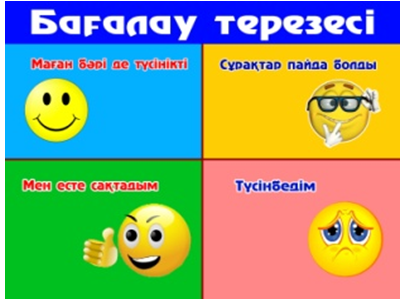
you have to bring me one of the emoticons.








 Бұл курс Қазақстан Республикасы Оқу-ағарту министрлігімен келісілген