ЖИ көмекші





Teaching with Akelius


 Жүктеу
#1 слайд
TEACHING WITH
AKELIUS
Mentor: Kussainova Aniya
1 слайд
TEACHING WITH AKELIUS Mentor: Kussainova Aniya
#2 слайд
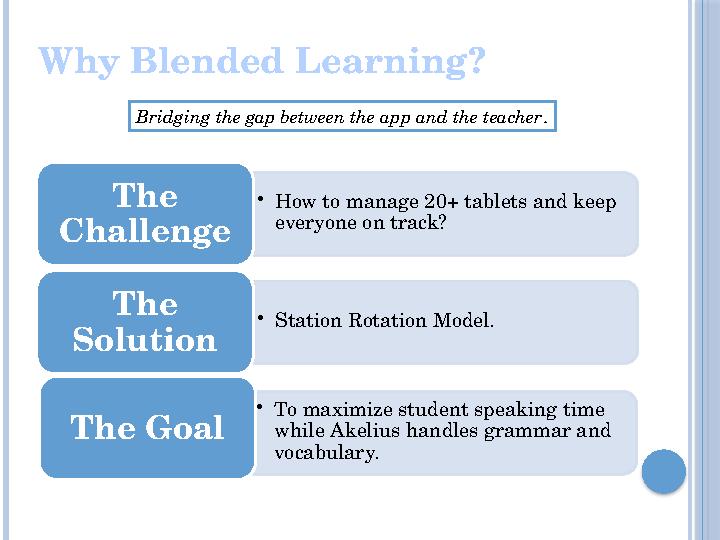
Why Blended Learning?
Bridging the gap between the app and the teacher.
•How to manage 20+ tablets and keep
everyone on track?
The
Challenge
•Station Rotation Model.
The
Solution
•To maximize student speaking time
while Akelius handles grammar and
vocabulary.
The Goal
2 слайд
Why Blended Learning? Bridging the gap between the app and the teacher. •How to manage 20+ tablets and keep everyone on track? The Challenge •Station Rotation Model. The Solution •To maximize student speaking time while Akelius handles grammar and vocabulary. The Goal
#3 слайд
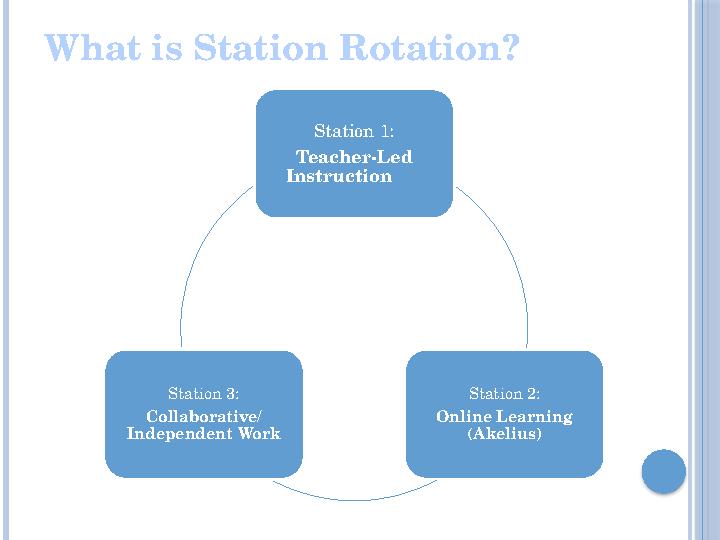
What is Station Rotation?
Station 1:
Teacher-Led
Instruction
Station 2:
Online Learning
(Akelius)
Station 3:
Collaborative/
Independent Work
3 слайд
What is Station Rotation? Station 1: Teacher-Led Instruction Station 2: Online Learning (Akelius) Station 3: Collaborative/ Independent Work
#4 слайд
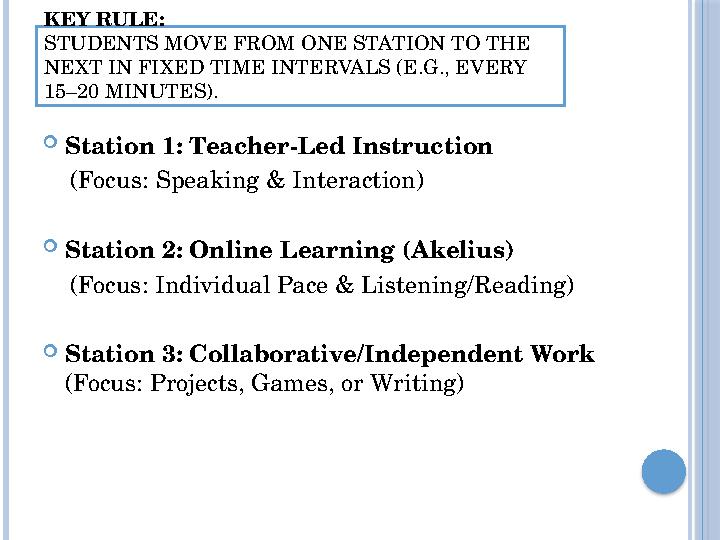
KEY RULE:
STUDENTS MOVE FROM ONE STATION TO THE
NEXT IN FIXED TIME INTERVALS (E.G., EVERY
15–20 MINUTES).
Station 1: Teacher-Led Instruction
(Focus: Speaking & Interaction)
Station 2: Online Learning (Akelius)
(Focus: Individual Pace & Listening/Reading)
Station 3: Collaborative/Independent Work
(Focus: Projects, Games, or Writing)
4 слайд
KEY RULE: STUDENTS MOVE FROM ONE STATION TO THE NEXT IN FIXED TIME INTERVALS (E.G., EVERY 15–20 MINUTES). Station 1: Teacher-Led Instruction (Focus: Speaking & Interaction) Station 2: Online Learning (Akelius) (Focus: Individual Pace & Listening/Reading) Station 3: Collaborative/Independent Work (Focus: Projects, Games, or Writing)

#5 слайд
Benefits for You
Small
Groups
Data-
Driven
No One is
Bored
Active
Learning
Students stay focused because the activity
changes frequently.
It's easier to teach 8 students than 24.
You can see who is struggling in
Akelius and help them immediately.
Fast learners move ahead in the app, while
others get more of your attention.
5 слайд
Benefits for You Small Groups Data- Driven No One is Bored Active Learning Students stay focused because the activity changes frequently. It's easier to teach 8 students than 24. You can see who is struggling in Akelius and help them immediately. Fast learners move ahead in the app, while others get more of your attention.

#6 слайд
LET’S PRACTICE!
6 слайд
LET’S PRACTICE!
#7 слайд
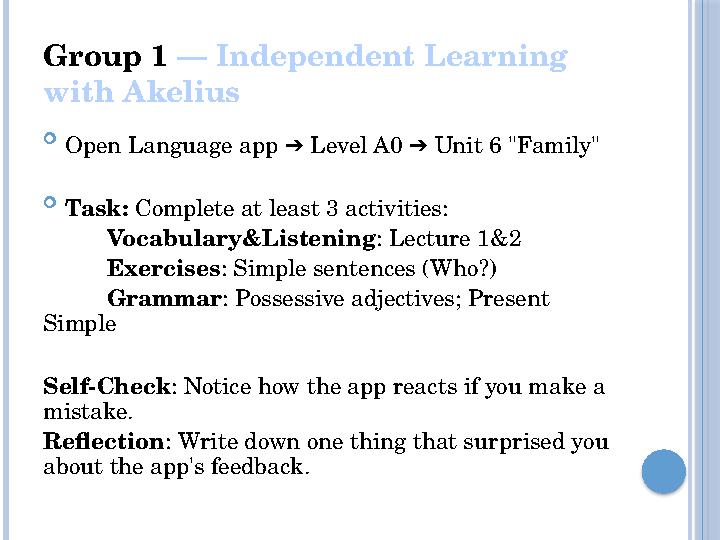
Group 1 — Independent Learning
with Akelius
Open Language app Level A0 Unit 6 "Family"
➔ ➔
Task: Complete at least 3 activities:
Vocabulary&Listening: Lecture 1&2
Exercises: Simple sentences (Who?)
Grammar: Possessive adjectives; Present
Simple
Self-Check: Notice how the app reacts if you make a
mistake.
Reflection: Write down one thing that surprised you
about the app's feedback.
7 слайд
Group 1 — Independent Learning with Akelius Open Language app Level A0 Unit 6 "Family" ➔ ➔ Task: Complete at least 3 activities: Vocabulary&Listening: Lecture 1&2 Exercises: Simple sentences (Who?) Grammar: Possessive adjectives; Present Simple Self-Check: Notice how the app reacts if you make a mistake. Reflection: Write down one thing that surprised you about the app's feedback.

#8 слайд
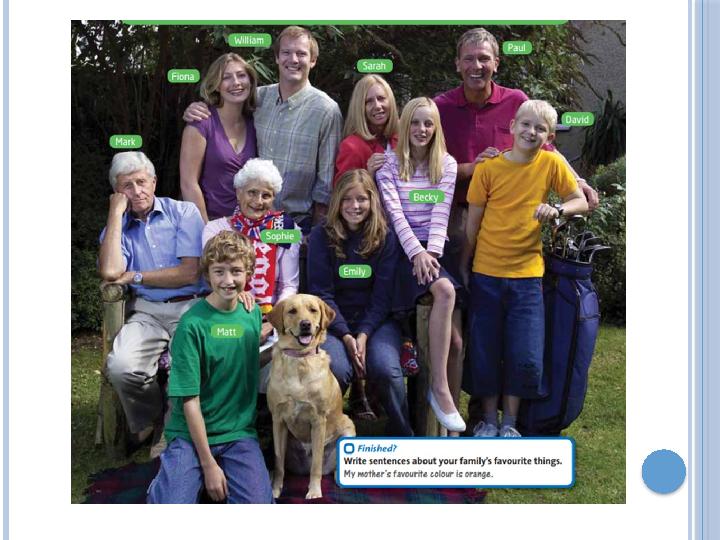
Group 2 — "Who is Who?" Detective
Game
Goal: Identify the family member using logic and
English.
Target Language: Relations: Husband, niece,
grandson, father-in-law.
Appearance: Curly hair, glasses, slim, middle-
aged.
Grammar: "This is Mary’s son", "He is wearing...".
Rules: No pointing! Use only words to describe
If you have extra time...
Mystery Portrait: Draw a family member based
on your partner's description. Compare the results!
8 слайд
Group 2 — "Who is Who?" Detective Game Goal: Identify the family member using logic and English. Target Language: Relations: Husband, niece, grandson, father-in-law. Appearance: Curly hair, glasses, slim, middle- aged. Grammar: "This is Mary’s son", "He is wearing...". Rules: No pointing! Use only words to describe If you have extra time... Mystery Portrait: Draw a family member based on your partner's description. Compare the results!
#9 слайд
9 слайд
#10 слайд
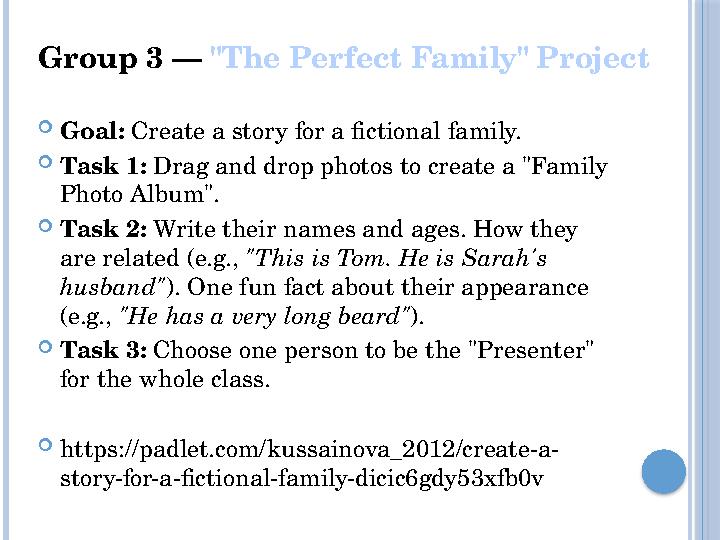
Group 3 — "The Perfect Family" Project
Goal: Create a story for a fictional family.
Task 1: Drag and drop photos to create a "Family
Photo Album".
Task 2: Write their names and ages. How they
are related (e.g., "This is Tom. He is Sarah's
husband"). One fun fact about their appearance
(e.g., "He has a very long beard").
Task 3: Choose one person to be the "Presenter"
for the whole class.
https://padlet.com/kussainova_2012/create-a-
story-for-a-fictional-family-dicic6gdy53xfb0v
10 слайд
Group 3 — "The Perfect Family" Project Goal: Create a story for a fictional family. Task 1: Drag and drop photos to create a "Family Photo Album". Task 2: Write their names and ages. How they are related (e.g., "This is Tom. He is Sarah's husband"). One fun fact about their appearance (e.g., "He has a very long beard"). Task 3: Choose one person to be the "Presenter" for the whole class. https://padlet.com/kussainova_2012/create-a- story-for-a-fictional-family-dicic6gdy53xfb0v
#11 слайд
From Theory to Practice: Design Your Lesson
Subheading: Build your own Station Rotation
model in 20 minutes.
Key Questions to Consider:
Which unit in Akelius matches my current
curriculum?
What is the main goal of my Teacher-Led station
(Speaking, Grammar, or Feedback)?
Is the Collaborative task simple enough for
students to do without my help?
11 слайд
From Theory to Practice: Design Your Lesson Subheading: Build your own Station Rotation model in 20 minutes. Key Questions to Consider: Which unit in Akelius matches my current curriculum? What is the main goal of my Teacher-Led station (Speaking, Grammar, or Feedback)? Is the Collaborative task simple enough for students to do without my help?
#12 слайд
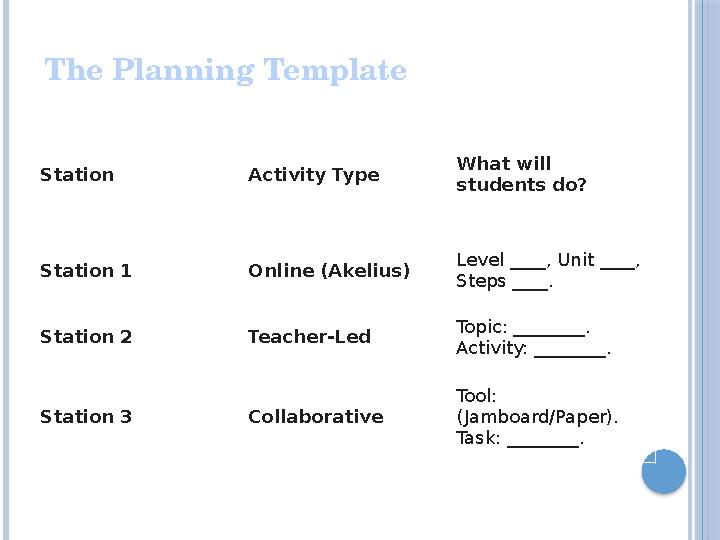
The Planning Template
Station Activity Type
What will
students do?
Station 1 Online (Akelius)
Level ____, Unit ____,
Steps ____.
Station 2 Teacher-Led
Topic: ________.
Activity: ________.
Station 3 Collaborative
Tool:
(Jamboard/Paper).
Task: ________.
12 слайд
The Planning Template Station Activity Type What will students do? Station 1 Online (Akelius) Level ____, Unit ____, Steps ____. Station 2 Teacher-Led Topic: ________. Activity: ________. Station 3 Collaborative Tool: (Jamboard/Paper). Task: ________.
#13 слайд
Checklist for a Great Rotation
Lesson
Clear Instructions: Can students start Station
1 and 3 without asking you "What do we do?«
Balanced Timing: Do all stations take
approximately the same time?
Active Teacher: Are you focused 100% on the
speaking group at Station 2?
Tech Check: Is the Akelius app ready and the
internet stable?
13 слайд
Checklist for a Great Rotation Lesson Clear Instructions: Can students start Station 1 and 3 without asking you "What do we do?« Balanced Timing: Do all stations take approximately the same time? Active Teacher: Are you focused 100% on the speaking group at Station 2? Tech Check: Is the Akelius app ready and the internet stable?
![Your Next Step I will try Station Rotation on [Day of the week] with my [Grade] class using the topic [Topic].](https://api.ust.kz/storage/files/materials/pptx/image/2026/january/d22/176908203677-14.jpeg "Your Next Step I will try Station Rotation on [Day of the week] with my [Grade] class using the topic [Topic].")
#14 слайд
Your Next Step
I will try Station Rotation on [Day of the
week] with my [Grade] class using the topic
[Topic].
14 слайд
Your Next Step I will try Station Rotation on [Day of the week] with my [Grade] class using the topic [Topic].


 Жүктеу
шағым қалдыра аласыз